Carrier Portal Automation for Insurance: How Quoting Works Without APIs
AI web agents is a technology that interacts with carrier web portals programmatically – logging in, filling out forms, navigating workflows, and extracting quotes – the same way a human agent would, but across multiple carriers simultaneously. For commercial insurance, where 98% of carriers have no API, AI web agents is the primary technology that makes multi-carrier quoting possible at scale.
This guide explains how carrier portal automation works in insurance, why it exists, what makes it different from generic automation tools, and what agents should understand about its capabilities and limitations.
With 98% of P&C carriers having no quoting API, AI web agents is the primary technology making multi-carrier commercial quoting possible. Tools using AI web agents log into carrier portals with your credentials, fill out forms across multiple carriers in parallel, and return quotes in minutes – without requiring carriers to build API integrations.
Why AI Web Agents Exists in Insurance
The insurance industry has a connectivity problem. There are roughly 2,700 property and casualty carriers in the United States. Of those, only ~50–60 are accessible through commercial quoting raters – and only about 8–10 offer full core commercial APIs spanning BOP, GL, and WC that allow third-party software to submit applications and retrieve quotes programmatically. The rest – including most regional carriers, mutual companies, and specialty markets – require agents to interact with each carrier's individual web portal.
For an agent quoting a commercial account across 10 to 15 carriers, that means logging into 10 to 15 separate portals, entering the same client information 10 to 15 times, navigating each carrier's unique workflow, waiting for each quote, and manually compiling the results. This process typically takes 45 minutes to 2 hours per account.
API-based comparative raters solve this problem for a small subset of carriers. Tools like Tarmika connect to approximately 31 carriers via API. Semsee connects to approximately 48. But that's roughly 1% to 3% of the market. The remaining 98% of carriers are only accessible through their web portals.
AI web agents bridges this gap. Instead of waiting for each carrier to build and maintain an API – something most carriers lack the technical resources or business motivation to do – AI web agents works with the portals that already exist.
How Carrier Portal Automation Works
Think of AI web agents as a very fast, very accurate assistant who can log into multiple carrier portals simultaneously, fill out each carrier's forms with your client's information, navigate each carrier's specific workflow, and bring back all the quotes. It interacts with carrier portals the same way you would – clicking, typing, selecting dropdown options, advancing through pages – but does it in parallel and without data entry errors.
The Technical Process
Here's what happens when an agent submits a commercial insurance application through a AI web agents platform:
1. Data intake. The agent enters the client's information once – business name, address, NAICS code, revenue, employee count, coverage preferences, loss history. This single data entry replaces the 10 to 15 separate entries that manual quoting requires.
2. Carrier selection. The system identifies which carriers on the agent's carrier panel are likely to write this class of business in this state. This step – often called appetite checking – filters out carriers that won't quote before any portal work begins.
3. Parallel portal sessions. The automation opens simultaneous sessions with each selected carrier's web portal, using the agent's own credentials. Each session runs independently.
4. Intelligent form filling. This is where insurance-specific automation differs from generic tools. Each carrier's portal has different field names, different field sequences, different dropdown values, and different data formats for the same information. A field mapping layer translates the agent's standardized input into each carrier's specific portal format.
For example, one carrier might ask for "Annual Revenue" as a text field. Another might want "Gross Annual Receipts" in a dropdown with ranges. A third might split it into "Revenue This Year" and "Revenue Last Year." The field mapping intelligence handles all of these translations automatically.
5. Workflow navigation. Commercial insurance portals aren't simple single-page forms. They involve multi-step workflows – general information, then classification, then coverage options, then loss history, then additional questions that vary by carrier and line of business. The automation navigates each carrier's complete workflow.
6. Quote extraction. Once each carrier returns a quote (or a declination), the automation extracts the premium, coverage details, and any conditions or subjectivities, then presents everything in a unified comparison format.
The entire process – from submitting the client's information to receiving quotes from 10 to 15 carriers – typically takes 2 to 5 minutes.
What Makes Insurance AI Web Agents Different from Generic RPA
Robotic process automation (RPA) has been used across many industries for years. Insurance AI web agents shares the same foundational concept – programmatically interacting with web interfaces – but commercial insurance adds layers of complexity that generic RPA tools aren't designed to handle.
Field Mapping Intelligence
Generic RPA maps fields one-to-one: this field on the source form maps to this field on the target form. Insurance AI web agents requires contextual mapping. The same piece of information (say, "restaurant with on-premises liquor sales") might need to be entered as:
- A NAICS code on one carrier's portal
- A class code dropdown selection on another
- A yes/no question about liquor exposure on a third
- A separate liquor liability application on a fourth
The field mapping layer doesn't just move data – it translates data into each carrier's specific language and workflow requirements.
Carrier-Specific Logic
Each carrier has underwriting rules embedded in their portal workflow. One carrier might ask follow-up questions about employee count that another doesn't. One might require three years of loss history while another requires five. One might have conditional fields that only appear for certain class codes.
Insurance-specific automation builds carrier logic into the workflow. When a carrier's portal presents a conditional question based on the risk type, the automation knows how to answer it from the client data that's already been captured.
Portal Change Adaptation
Carrier portals change. Carriers redesign their interfaces, add new fields, reorganize workflows, and update validation rules – often without advance notice to third-party tools. Insurance AI web agents platforms must continuously monitor for portal changes and adapt their automation accordingly.
This is an ongoing operational requirement, not a one-time build. A platform automating 20 carrier portals might need to update its automation for 3 to 5 portals per month as carriers make changes.
AI Web Agents vs. API-Based Quoting
Both approaches serve the same goal – submitting insurance applications to multiple carriers and retrieving quotes – but they work differently and have different trade-offs.
| Feature | API-Based Raters | AI Web Agents Raters |
|---|---|---|
| Speed per carrier | Seconds (structured data exchange) | 1-5 minutes (portal navigation) |
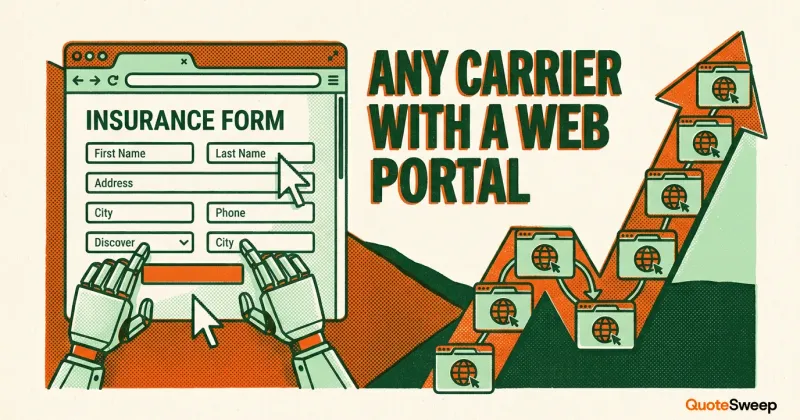
| Carrier reach | ~30-31 carriers with APIs | Any carrier with a web portal |
| Data reliability | High (structured API response) | High (extracted from carrier portal) |
| Dependency | Requires carrier API availability | Requires carrier portal availability |
| Maintenance | API versioning and updates | Portal change monitoring and adaptation |
| Setup per carrier | Months (API integration agreement) | Weeks (portal automation build) |
The key trade-off is speed versus reach. API-based raters are faster per carrier but structurally limited to the small percentage of carriers that have built APIs. AI web agents is slightly slower per carrier but can reach any carrier that has a web portal – which is virtually all of them.
For a deeper comparison of these approaches, see our guide to commercial insurance raters.
The Hybrid Approach
Some platforms use both methods – API connections where available, AI web agents everywhere else. This delivers the speed advantages of APIs for connected carriers while maintaining the reach advantages of AI web agents for the rest of the market.
Security and Credentials
A common question from agents evaluating AI web agents platforms: how are my carrier portal credentials handled?
How Agent Credentials Work
AI web agents uses the agent's own credentials to access carrier portals. The agent provides their login information for each carrier, and the automation uses those credentials to log in – just as the agent would manually. The carrier sees the same agent logging in, from the same authorized access, submitting the same types of applications.
Legitimate AI web agents platforms encrypt stored credentials (both at rest and in transit), use the credentials only during active quoting sessions, and give agents full control to update or revoke credentials at any time.
What Carriers See
From the carrier's perspective, a AI web agents session looks like a fast, accurate agent. The same login is used, the same portal is accessed, and the same application data is submitted. The carrier's underwriting rules still apply – AI web agents doesn't bypass any carrier underwriting logic or approval requirements.
What AI Web Agents Can and Cannot Do
What It Does Well
- Multi-carrier quoting at scale. Quote 10 to 15 carriers in the time it takes to manually quote one.
- Eliminates redundant data entry. Enter client information once instead of 10 to 15 times.
- Reduces data entry errors. Programmatic form filling doesn't transpose digits or misspell business names.
- Reaches carriers without APIs. Access your full carrier panel, including regional and specialty carriers that API-based raters can't reach.
- Standardizes comparison. Returns quotes in a consistent format for side-by-side comparison.
What It Doesn't Do
- Replace underwriting decisions. Carriers still underwrite the risk. AI web agents submits the application – the carrier decides whether and how to quote.
- Guarantee quotes. If a carrier declines the risk, automation can't override that decision.
- Work offline. AI web agents depends on carrier portals being available. If a carrier's portal is down, that carrier can't be quoted until it's back up.
- Handle every portal interaction. Some carrier workflows include CAPTCHAs, multi-factor authentication, or manual underwriting holds that require human intervention.
Being Transparent About Limitations
AI web agents is powerful but not perfect. Portal dependencies mean occasional disruptions when carriers make changes. Speed is measured in minutes rather than the seconds that API-based quoting delivers. And some carrier workflows have steps that automation can't fully handle without human involvement.
For agencies evaluating this technology, the right question isn't whether AI web agents is flawless – it's whether quoting 15 carriers in 5 minutes with occasional friction is better than quoting 3 carriers in an hour because that's all you have time for manually.
Who Benefits Most from AI Web Agents
Independent Agencies with Broad Carrier Panels
If your agency has appointments with 15 or more carriers, you're the primary beneficiary. AI web agents lets you actually use all your carrier appointments instead of defaulting to the 3 to 4 carriers you have time to quote manually. For more on leveraging your full panel, see our guide to growing your agency without hiring.
High-Volume Small Commercial Agencies
Agencies writing a high volume of BOP, GL, and workers' comp accounts benefit from the time savings multiplied across hundreds of accounts per year. If quoting takes 60 minutes per account manually, and you could reduce that to 5 minutes, the capacity gains are significant.
Agencies in Competitive Markets
In markets where clients expect multiple options, AI web agents gives you the ability to present quotes from 10+ carriers – a competitive advantage over agencies that can only offer 2 to 3 options because of time constraints.
The Future of Carrier Connectivity
AI web agents exists because the insurance industry hasn't solved carrier connectivity through APIs. If every carrier built and maintained reliable APIs, the need for AI web agents would diminish. But carrier API adoption has been slow – and for good reason. Building APIs is expensive, and most carriers (especially regionals and mutuals) don't have the development resources or volume of third-party integrations to justify the investment.
The pragmatic view: AI web agents and API-based quoting will coexist for the foreseeable future. APIs will handle carriers that have invested in them. AI web agents will handle everyone else. The agents who benefit most are those who use tools that combine both approaches to maximize carrier reach.
Frequently Asked Questions
Is AI web agents the same as RPA?
AI web agents is a form of RPA (robotic process automation), but insurance-specific AI web agents includes field mapping intelligence, carrier-specific workflow logic, and portal change monitoring that generic RPA tools don't provide. Generic RPA requires extensive custom configuration for each carrier portal and breaks more frequently when portals change.
Do carriers allow AI web agents on their portals?
Carrier portal terms of service vary. Most carriers permit authorized agents to use tools that assist with data entry and application submission. AI web agents accesses portals using the agent's own authorized credentials and submits the same application data that the agent would enter manually. That said, agents should review each carrier's specific terms.
How fast is AI web agents compared to manual quoting?
For a typical small commercial account, AI web agents returns quotes from 10 to 15 carriers in 2 to 5 minutes. Manually quoting the same carriers typically takes 45 minutes to 2 hours. The time savings increase with the number of carriers quoted.
What happens when a carrier redesigns their portal?
Portal changes are the primary maintenance challenge for AI web agents platforms. When a carrier changes their portal layout, fields, or workflow, the automation needs to be updated. Well-maintained platforms detect portal changes quickly – often within hours – and push updates to minimize disruption to agents.
